Use the workflowAutomationSignalWorkflowRun mutation to trigger a signal to an existing running workflow. Use this to send a callback evaluated by the workflow to go to different next steps. You can pass parameters along with the signal.
Input parameters
Parameter | Data type | Description |
|---|---|---|
| Number | (Required) Your account ID. |
| String | (Required) The unique identifier of the running workflow. Obtained from the |
| String | (Required) The name of the signal defined in the workflow's wait step. |
| Array | (Optional) Key-value pairs to pass data with the signal. |
Sample request
Given the workflow definition below and a workflow already running
name: signalDemo
steps: - name: waitStep type: wait seconds: 300 signals: - name: approve next: signalHandler - name: cancel next: signalHandler
- name: NoSignalReceived type: action action: newrelic.ingest.sendLogs version: 1 inputs: logs: - message: "no signals received" next: end
- name: signalHandler type: action action: newrelic.ingest.sendLogs version: 1 inputs: logs: - message: "signal '${{ .steps.waitStep.outputs.signalName }}' was received with: '${{ .steps.waitStep.outputs.signalInputs | tostring }}'"After starting this workflow, this runId is returned upon start 107e6df2-aa17-41bc-8065-bfa46bde810b
The workflow can then be signaled with this mutation
mutation { workflowAutomationSignalWorkflowRun( accountId: 12345678 runId: "107e6df2-aa17-41bc-8065-bfa46bde810b" signalName: "approve" signalInputs: [{ key: "foo", value: "bar" }] ) { runId }}Example log output
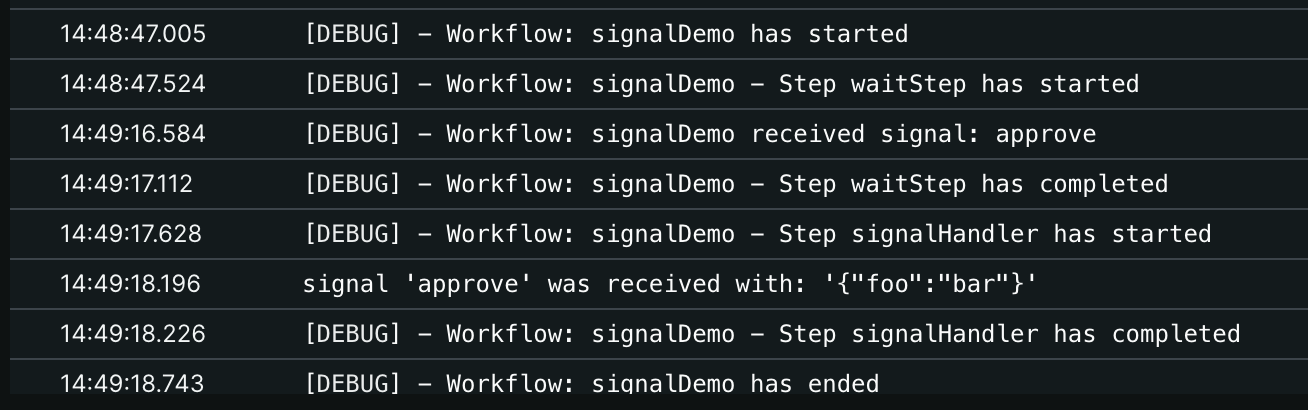
The following can be observed in the Logs if the workflow was started with the options: {logLevel: DEBUG}:
Sample response
The mutation returns:
runId: The unique identifier of the workflow run that received the signal.