Scorecards are designed to help organizations adhere to a well-defined engineering strategy by providing a standardized and structured approach to software development. You can use Scorecards in New Relic to evaluate team or group performance against predefined rules and custom metrics. By transforming strategic goals into measurable outcomes, Scorecards facilitate continuous improvement and informed decision-making.
Availability
Scorecards is available for all Full platform users. Core and Basic users don't have access to Scorecards. On the Data + Core Compute pricing model, all users are Full platform users and have access to Scorecards.
Roles and permissions
The following roles determine what actions users can perform in Scorecards.
Action | Required role |
|---|---|
View Scorecards | |
Create, update, and delete Scorecards and rules | Organization Product Admin or a custom Scorecards role |
Scorecards capabilities
To delegate Scorecards write access to users without granting them the Organization Product Admin role, you can create a custom role for Scorecards through the UI. Scorecards permissions are organization-scoped.
Capability | Permission identifier |
|---|---|
Read Scorecards (also grants |
|
Create, update, and delete Scorecards |
|
Read Scorecard rules |
|
Create, update, and delete Scorecard rules |
|
Sugerencia
You can also create a custom role for Scorecards via the NerdGraph API. For step-by-step instructions, see Create custom roles for Scorecards.
Key Features
By leveraging Scorecards, you can:
- Track and improve performance across various areas.
- Automate the tracking of compliance metrics, reducing the manual effort required to maintain standards.
- Use data-driven insights to identify areas for improvement and make informed decisions about resource allocation and process optimization.
- Assign ownership of compliance tasks to specific teams or individuals, promoting responsibility and transparency.
Access the Scorecards
To access the Scorecards:
- Log in to your New Relic account.
- Go to All Capabilities > Scorecards.
Using the Scorecards
The Scorecards offers various views to support your requirements:
- All Scorecards
- Single Scorecard
- Rule view
- Entity view
- Team view
All Scorecards page
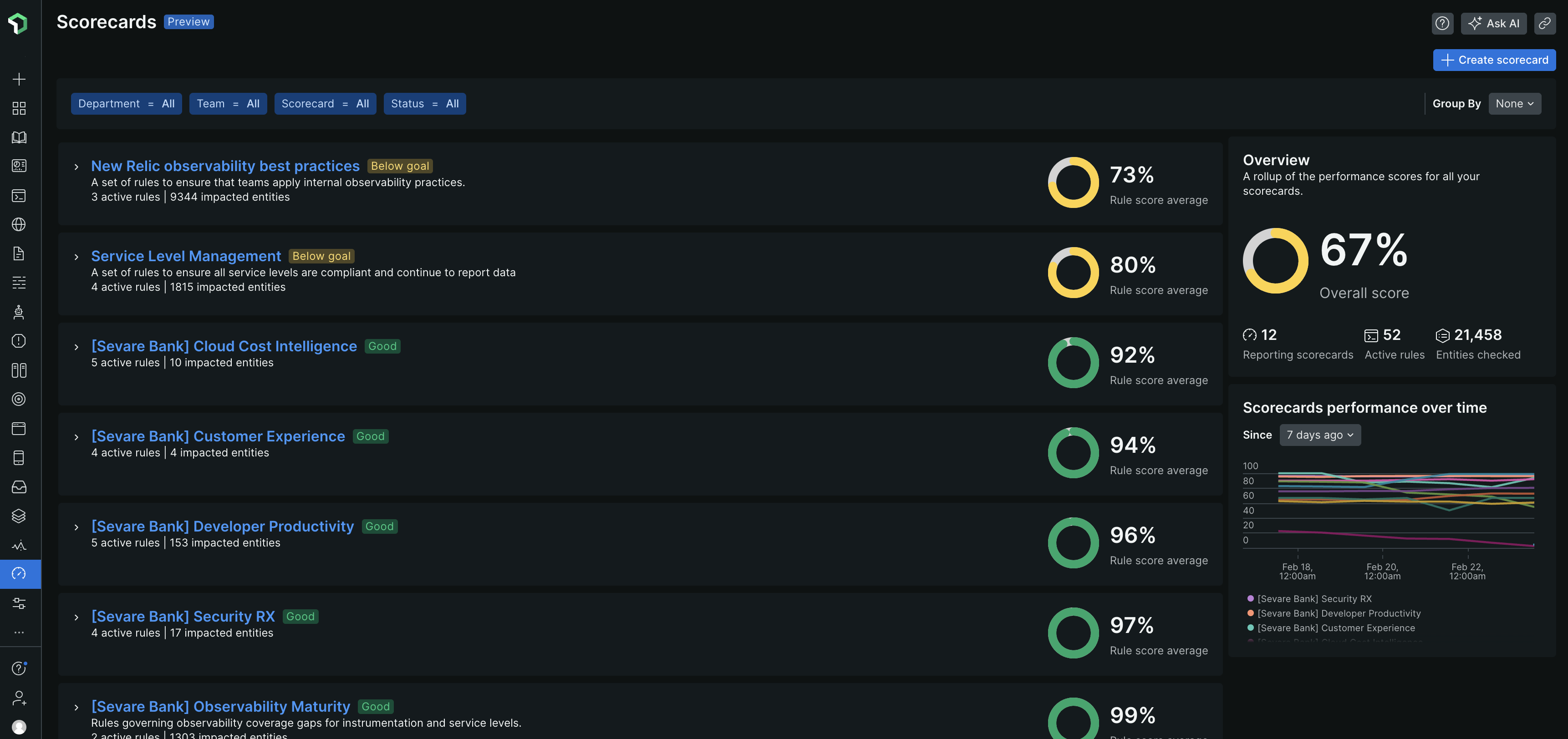
The Scorecards page provides a high-level view of all Scorecards to offer insights into adherence to engineering standards and overall performance. You can monitor the performance metrics across multiple Scorecards and identify areas that need immediate action. You can use various filters and group by options to refine your search.
Single Scorecard View
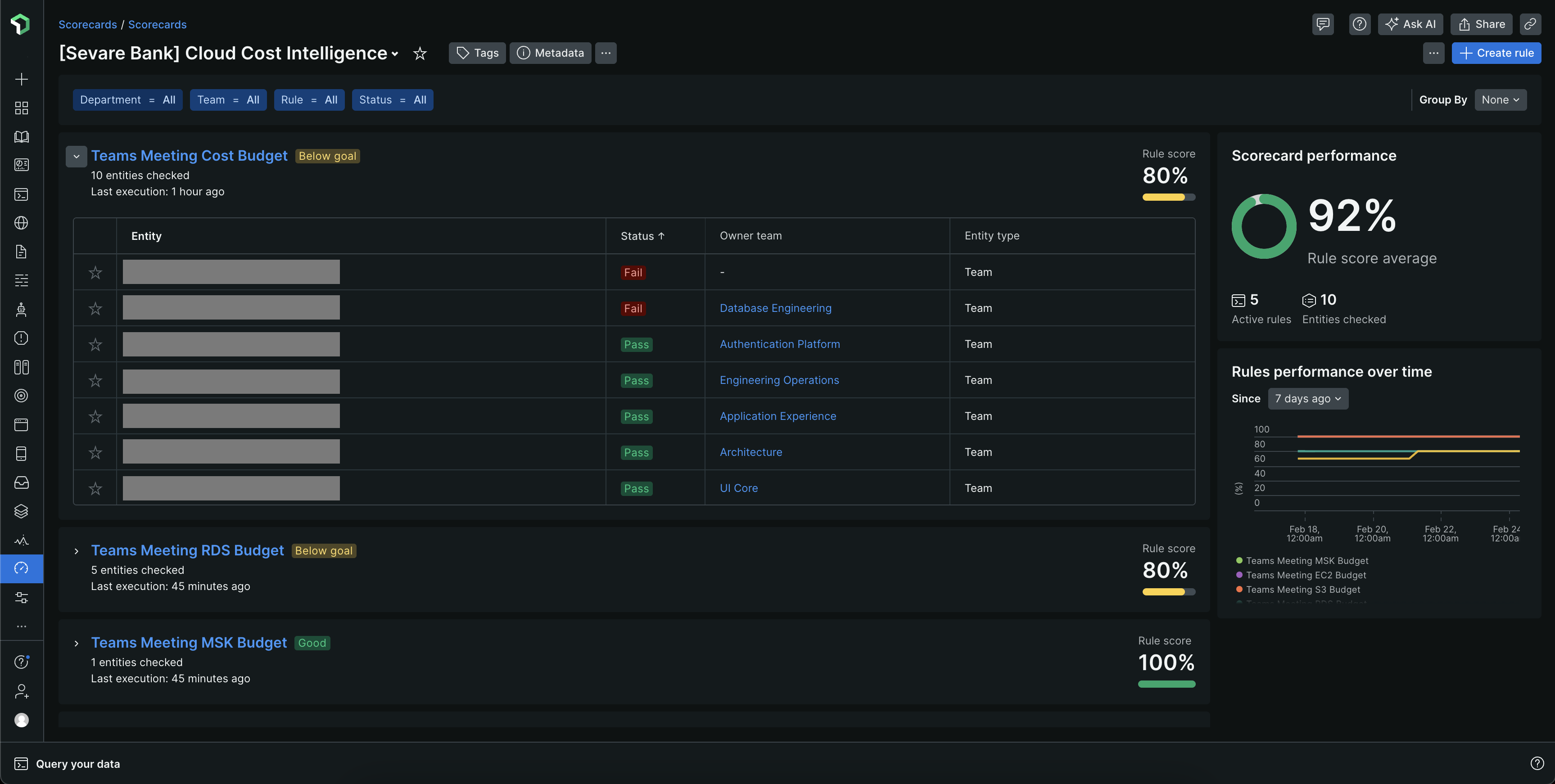
This page provides detailed insights into specific metrics and rules, including historical performance data. You can use this page to:
- Analyze historical data trends over time to track improvements or declines in performance.
- View the current score that is the average of all rule scores, representing compliance with engineering standards.
- View each rule's score with its condition, scope, and evaluation status. Drill down to see specific checks and pass/fail statuses.
Rule View
Rules are the building blocks of Scorecards, containing specific performance conditions. The rule view allows users to assess and manage individual rules. In this view you can view a list of all rules and their details including a description, NRQL statement, and scope. Evaluate entities against these rules to determine compliance.
Rules are grouped by maturity level (Basic, Intermediate, and Advanced), so you can see how your standards are distributed and track how services progress from basic compliance to operational excellence.
For more information to:
- Create rules, refer Create Scorecard rules.
- Manage rules, refer Manage rules.
Entity View
The Entity view lists every entity evaluated by the Scorecard, with a maturity level column and a breakdown of how many rules each entity passes at each maturity level. Use it to filter to your services and see exactly where each one sits on the maturity ladder. For more information, see Service maturity.
Teams View
The Teams view aggregates Scorecards data at the team level, providing a team-centric perspective of compliance and performance. In the Teams view:
- Each team's score is calculated as the average of associated Scorecards, offering a quick view of adherence to standards.
- Performance status is categorized by color or label, such as Good, Below Goal, and Need Attention, to signal areas requiring attention.