---
title: Filter dashboards faster with template variable toggle
source: https://docs.newrelic.com/whats-new/2024/09/whats-new-09-07-include-variable
---
[Template variables](https://docs.newrelic.com/whats-new/2022/11/whats-new-11-30-dashboard-template-variables/) allow you to dynamically filter charts and widgets in your custom dashboards, making dashboards more adaptable for various use cases.
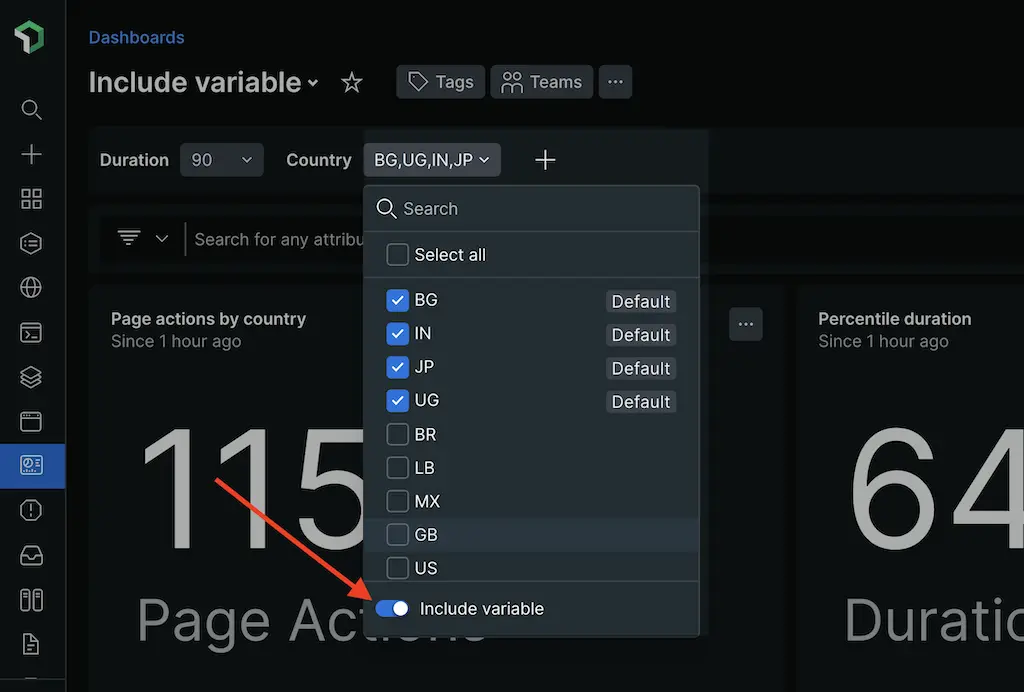
Now, you have more flexibility when configuring variables with the **Include variable** toggle. It allows you to exclude variables that have been added to one or more widgets in a dashboard. You do not need to modify any queries.
## How it works
Previously, when you used variables in widgets, your queries were limited to the values defined for that variable, which could be limiting in certain scenarios, such as missing values. This could result in incomplete data being shown in charts, even if you used the **Select all** values. Alternatively, a variable may have a very large number of values. Choosing to disable the variable by default will provide significant performance improvements.
Now, when you choose to exclude a variable, it's removed from the query and the condition is replaced with a neutral boolean value (either true or false). This ensures that your query remains valid and returns results for your dashboard. By excluding the variable, you can retrieve all values from the database.
## How to configure variable exclusion
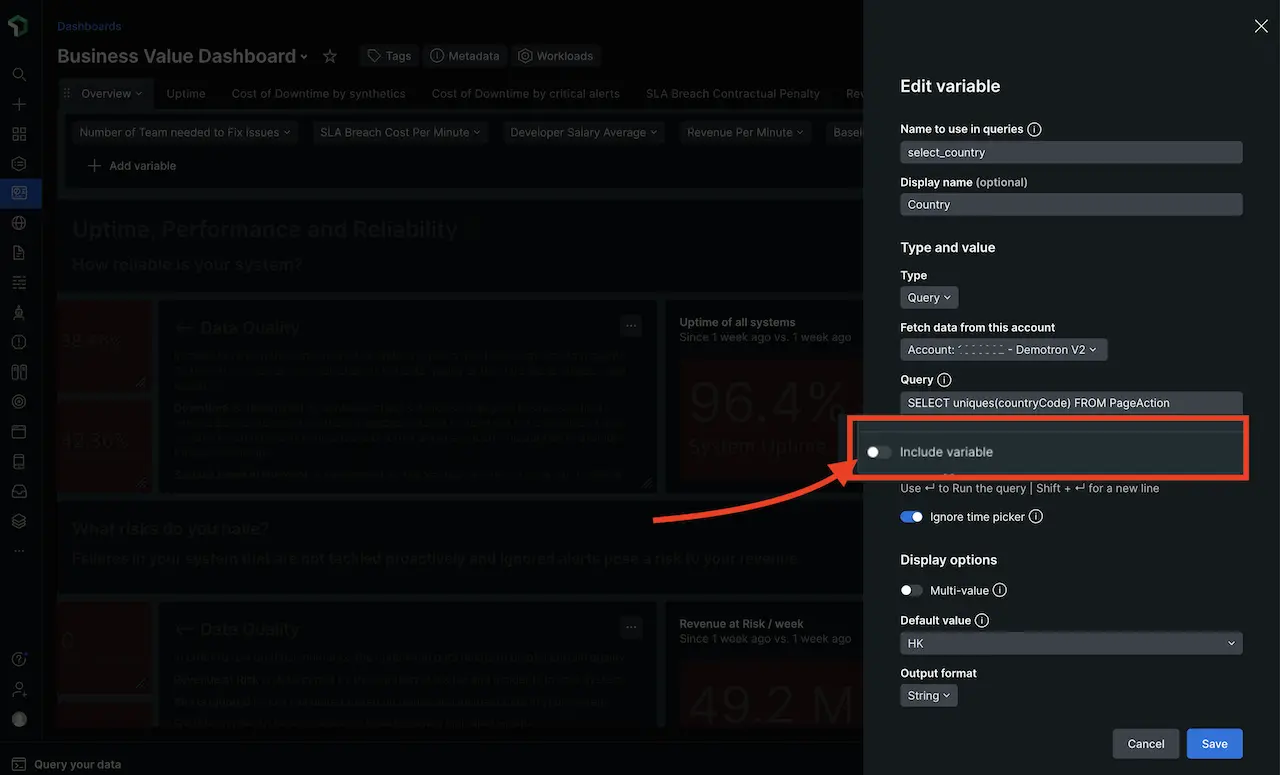
1. In your dashboard, click the edit button.
2. Then select **+ Add variable** or click on a variable, and select **Edit**.
3. Now, you'll be able to see a toggle option to **Include variable**.
Users viewing a dashboard can include the variable again through the variable dropdown menu. This will allow the user to select specific values for that variable to filter their dashboard.