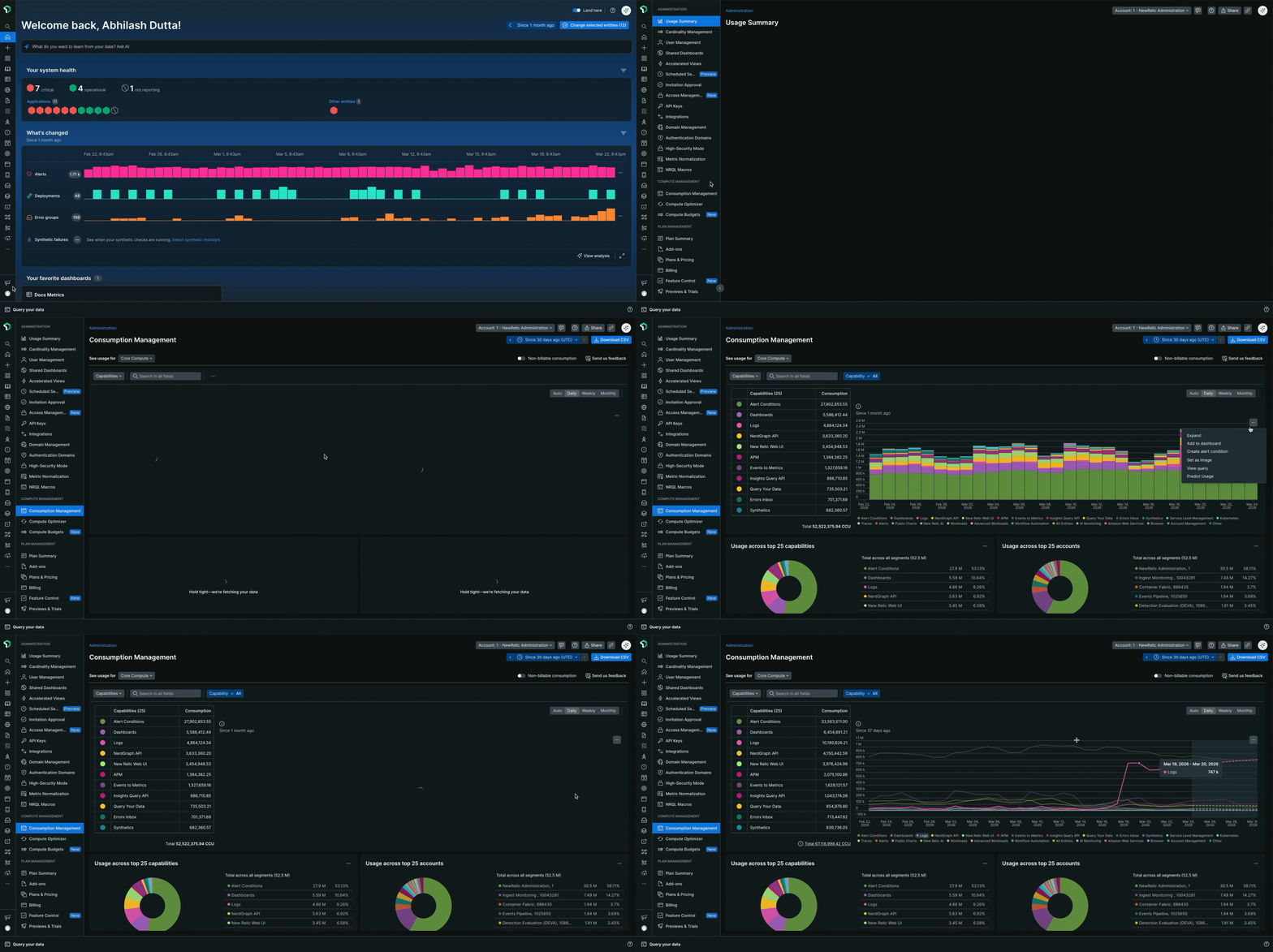
The Consumption Management page shows exactly how your organization uses its Compute Consumption Units (CCUs). This guide shows you how to track, analyze, and manage your CCU usage.
팁
Consumption Management is available to all customers on Advanced or Core Compute plans within their New Relic account.
Access Consumption Management
To access Consumption Management:
- Go to New Relic Administration
- Select Consumption Management
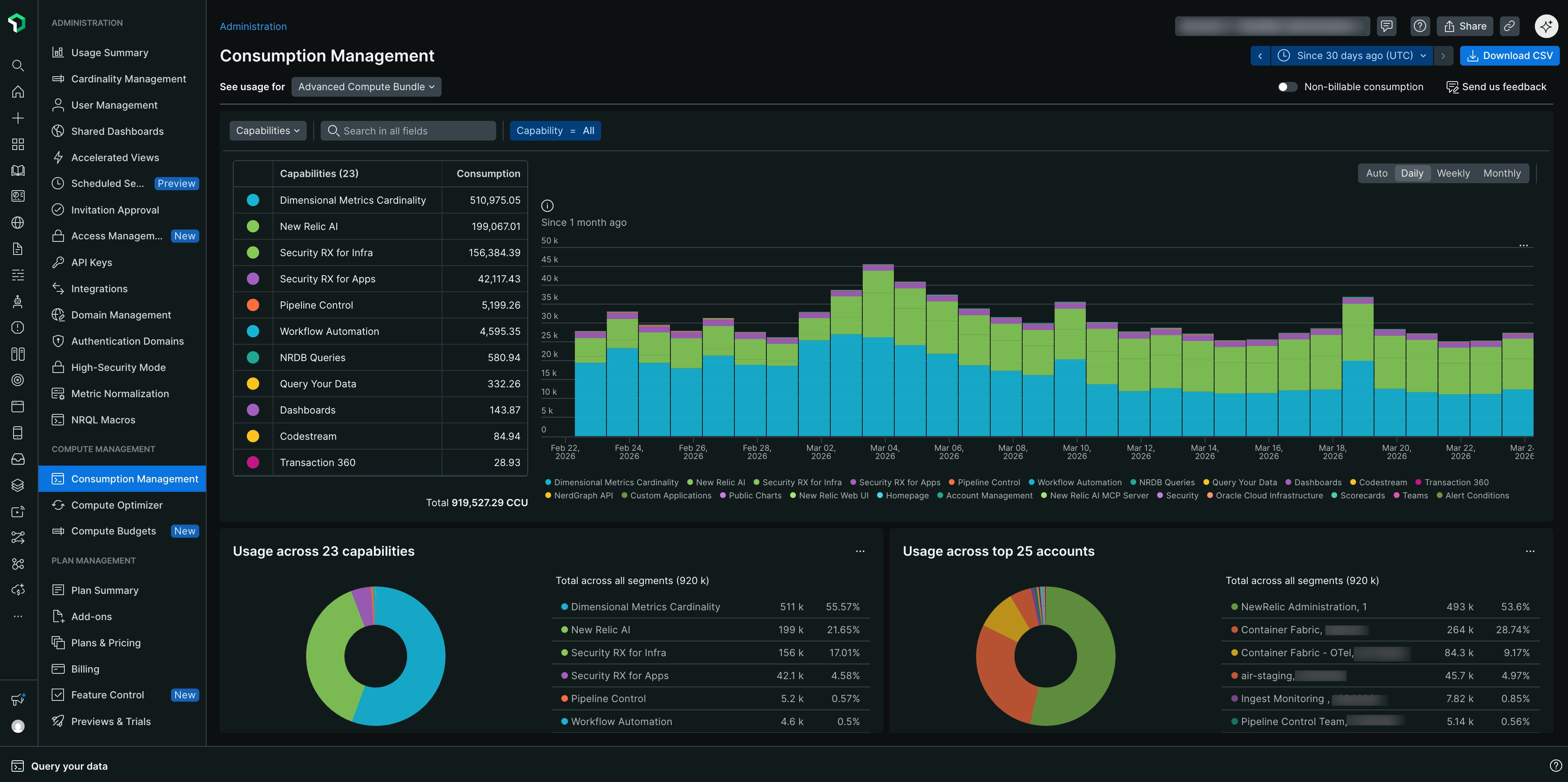
Break down your usage
Use the See usage for dropdown to view different types of compute usage:
- Core Compute: View your organization's core compute usage.
- Advanced Compute Bundle: View your organization's advanced compute usage.
By default, the page displays data from the last 30 days. You can change this to 60 or 90 days using the time selector in the top-right corner.
Use the dynamic chart controls to focus on specific entities: select a category (Accounts, Users, or Capabilities) from the dropdown, search for specific entities, or apply filters to narrow your view.
팁
While you can group the dynamic chart data by daily, weekly, or monthly intervals, when adding it to a dashboard, select Auto grouping to let the system optimize the display based on the dashboard's time range.
The donut charts show the number and percentage of CCUs contributed by capabilities, users, and accounts for the selected month. Filters do not affect these charts.
Switch between billable and non-billable CCU views
By default, the page displays billable CCU data. To view non-billable CCU data, turn on the Non-billable CCU toggle.
Manage and share your usage data
From the menu on any chart, you can:
- Add the chart to your dashboards for easy monitoring.
- Set up an alert to notify you of significant changes in usage.
- Share a real-time view of your data with stakeholders.
- Save the chart as an image for presentations or reports.
- View the underlying query that powers the chart, which you can use for your own custom reports or deeper analysis.
Forecast your CCU usage
The Consumption Management page includes predictive capabilities that help you forecast your organization's future compute usage.
To forecast usage:
- Navigate to the Daily view of the time series chart at the top of the page
- From the chart menu, select Predict Usage
- View the CCU usage forecast for 1 week in both the chart and the table
To remove the forecast, select Remove prediction from the chart menu.
중요
Forecasting is only available for Advanced Compute customers and only in the Daily view of the Consumption Management time series chart.